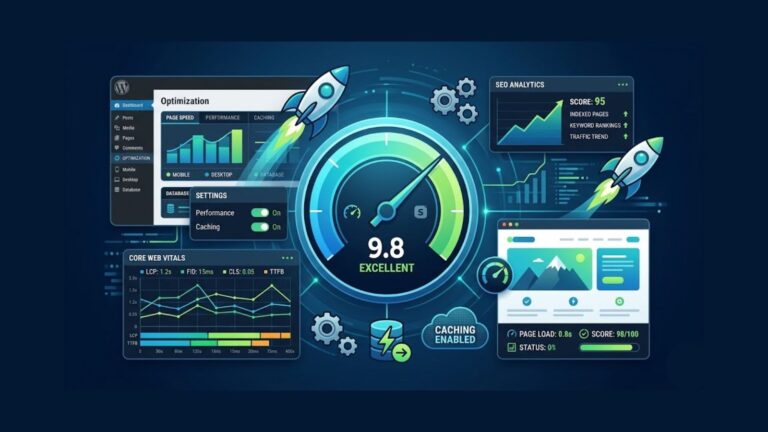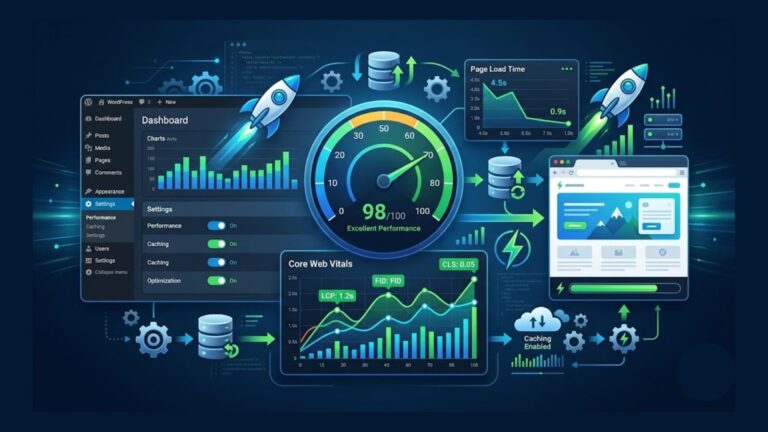

Website speed plays a major role in user experience, SEO rankings, and overall website performance. A slow website can frustrate visitors, reduce conversions, and negatively affect search engine visibility.
For WordPress websites, speed optimization is especially important because WordPress sites often use plugins, themes, images, and external scripts that can slow performance if not optimized properly.
The good news is that improving WordPress speed is easier than many beginners think. With the right tools and optimization techniques, you can significantly improve loading times and create a faster user experience.
In this guide, we’ll explain how to speed up a WordPress website in 2026 using practical and beginner-friendly optimization methods.
Why Website Speed Matters
Website speed affects several important factors, including:
- User experience
- SEO rankings
- Bounce rate
- Conversion rates
- Mobile performance
Google considers page speed an important ranking factor, especially for mobile search results.
Studies also show that users often leave websites that take more than a few seconds to load.
A faster website creates:
- Better engagement
- Improved trust
- Higher conversions
- Better search visibility
Common Reasons WordPress Websites Become Slow
Before optimizing your website, it’s important to understand what causes slow performance.
Common issues include:
- Large image sizes
- Cheap hosting
- Too many plugins
- Heavy themes
- Unoptimized code
- Excessive JavaScript
- Lack of caching
- Slow database performance
Fixing these problems can dramatically improve loading speed.
1. Choose Fast Web Hosting
Hosting is one of the biggest factors affecting website speed.
Even a perfectly optimized website may still load slowly if the hosting server performs poorly.
What to Look for in Hosting
Choose hosting providers that offer:
- SSD or NVMe storage
- LiteSpeed servers
- Cloud infrastructure
- Good uptime
- Fast server response times
Reliable hosting providers include:
- Hostinger
- SiteGround
- Cloudways
- A2 Hosting
Good hosting creates the foundation for website performance.
2. Use a Lightweight WordPress Theme
Some WordPress themes include unnecessary features, animations, and scripts that slow websites down.
Choose lightweight themes optimized for speed.
Popular fast themes include:
- Astra
- GeneratePress
- Kadence
- Hello Elementor
Lightweight themes improve performance and reduce page size.

3. Optimize Images
Large images are one of the most common causes of slow websites.
Image optimization can dramatically improve loading speed.
Best Image Optimization Tips
- Resize images properly
- Compress images
- Use WebP format
- Enable lazy loading
Plugins like:
- Smush
- ShortPixel
- Imagify
help automate image optimization.
4. Use a Caching Plugin
Caching stores temporary website files to reduce server processing time.
This significantly improves page loading speed.
Best Caching Plugins
Popular caching plugins include:
- LiteSpeed Cache
- WP Rocket
- W3 Total Cache
These plugins help:
- Reduce loading time
- Minify CSS and JavaScript
- Improve performance scores
5. Minify CSS and JavaScript
Many WordPress websites load unnecessary code.
Minifying files removes:
- Extra spaces
- Unused characters
- Redundant code
This reduces file size and improves speed.
Most caching plugins include automatic minification features.
6. Use a Content Delivery Network (CDN)
A CDN stores website files on servers around the world.
This allows visitors to load website content from the nearest server location.
Benefits include:
- Faster global loading
- Reduced server load
- Improved reliability
Popular CDN services include:
- Cloudflare
- BunnyCDN
- StackPath
7. Reduce Plugin Usage
Too many plugins can slow down WordPress websites.
Some plugins:
- Load heavy scripts
- Increase database usage
- Create unnecessary requests
Only keep plugins that are truly necessary.
Delete inactive plugins regularly.
8. Optimize Your Database
Over time, WordPress databases collect unnecessary data such as:
- Spam comments
- Post revisions
- Temporary files
- Expired transients
Database optimization improves efficiency and speed.
Plugins like WP-Optimize help clean databases safely.
9. Enable Lazy Loading
Lazy loading delays image loading until users scroll down the page.
This improves:
- Initial page speed
- Mobile performance
- User experience
Modern WordPress versions include basic lazy loading support.
10. Limit External Scripts
External scripts from ads, fonts, and third-party tools can slow websites.
Common external resources include:
- Google Fonts
- Ad networks
- Analytics tools
- Social media widgets
Only use essential third-party scripts.
11. Keep WordPress Updated
Always keep:
- WordPress core
- Themes
- Plugins
updated to the latest versions.
Updates often include:
- Performance improvements
- Security patches
- Bug fixes
Outdated software can reduce speed and create vulnerabilities.
12. Use the Latest PHP Version
PHP powers WordPress websites.
Newer PHP versions improve:
- Performance
- Security
- Efficiency
Most hosting providers allow users to switch PHP versions from the hosting dashboard.
PHP 8+ usually offers better performance than older versions.
13. Reduce Homepage Clutter
Overloaded homepages with too many animations, sliders, and widgets can slow websites significantly.
Try to keep layouts:
- Clean
- Minimal
- Organized
Simple designs usually perform better.
14. Disable Unused Features
Many themes and plugins load features you may never use.
Disabling unnecessary functions reduces:
- Scripts
- Requests
- Page size
This improves overall performance.
Best Tools to Test Website Speed
After optimizing your website, test performance using tools like:
- Google PageSpeed Insights
- GTmetrix
- Pingdom
- Lighthouse
These tools help identify remaining performance issues.
How Fast Should a Website Be?
Ideally:
- Websites should load within 2–3 seconds
- Core Web Vitals should pass Google standards
Faster websites usually perform better for both users and SEO.
Common Speed Optimization Mistakes
Avoid these common mistakes:
- Installing too many plugins
- Uploading huge images
- Using bloated themes
- Ignoring caching
- Choosing poor hosting
- Overusing animations
Simple optimization strategies often produce the best results.
Final Thoughts
Website speed is one of the most important parts of running a successful WordPress website. Faster websites improve SEO rankings, user experience, and conversion rates.
Fortunately, WordPress offers many tools and optimization techniques that make speed improvements achievable even for beginners.
By choosing good hosting, optimizing images, using caching, reducing unnecessary plugins, and keeping your website lightweight, you can create a much faster and more professional website in 2026.
Consistent optimization and regular performance testing will help your website remain competitive and user-friendly over time.