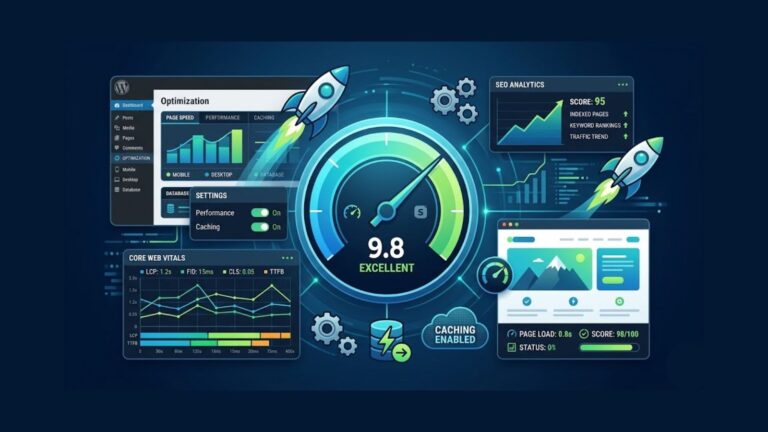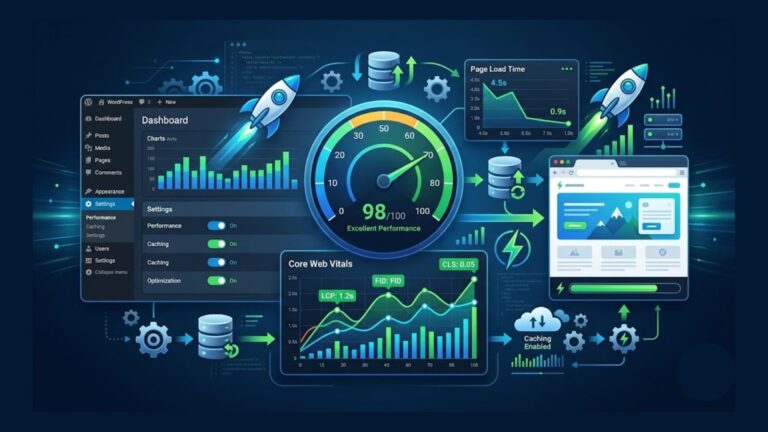

Website speed has become one of the most important factors for online success. A slow website can negatively affect user experience, SEO rankings, conversion rates, and visitor engagement.
Modern users expect websites to load quickly across all devices. Even a delay of a few seconds can increase bounce rates and reduce traffic significantly.
Fortunately, there are many free website speed test tools available that help website owners analyze performance, identify issues, and improve loading speed.
In this guide, we’ll explore the best free website speed test tools in 2026 and explain how they can help improve your website performance and SEO.
Why Website Speed Matters
Website speed directly impacts:
- User experience
- SEO rankings
- Conversion rates
- Mobile usability
- Bounce rate
Google considers page speed and Core Web Vitals important ranking signals.
Fast websites create:
- Better engagement
- Higher trust
- More page views
- Improved search visibility
A faster website can significantly improve both traffic and business growth.
Common Causes of Slow Websites
Before improving website speed, it’s important to understand common performance issues.
Typical causes include:
- Large images
- Slow hosting
- Heavy themes
- Too many plugins
- Unoptimized JavaScript
- Excessive third-party scripts
- Poor caching setup
Speed testing tools help identify these problems quickly.
What Are Website Speed Test Tools?
Website speed test tools analyze website performance and provide detailed reports about:
- Loading speed
- Performance bottlenecks
- Optimization opportunities
- Server response time
- Core Web Vitals
These tools help website owners improve performance and user experience.
1. Google PageSpeed Insights
Google PageSpeed Insights is one of the most popular website performance tools available today.
It analyzes websites on both:
- Mobile devices
- Desktop devices
The tool also provides optimization recommendations directly from Google.
Key Features
- Core Web Vitals analysis
- Mobile and desktop scores
- Performance suggestions
- Real-world user data
- SEO-related performance insights
Why It’s Important
Since Google uses speed metrics for rankings, PageSpeed Insights is extremely valuable for SEO optimization.
It helps website owners understand:
- Largest Contentful Paint (LCP)
- First Input Delay (FID)
- Cumulative Layout Shift (CLS)
Best For
- SEO optimization
- Core Web Vitals analysis
- Mobile performance testing
2. GTmetrix
GTmetrix is one of the most widely used speed testing tools among developers and SEO professionals.
It provides highly detailed reports and performance breakdowns.
Key Features
- Full page analysis
- Waterfall charts
- Performance grading
- Core Web Vitals
- Page loading timeline
Why It’s Useful
GTmetrix helps identify:
- Slow scripts
- Large files
- Render-blocking resources
- Performance bottlenecks
It’s especially useful for technical optimization.
Best For
- Advanced website analysis
- Technical performance testing
- Developers and SEO professionals
3. Pingdom Website Speed Test
Pingdom is known for its clean interface and beginner-friendly reports.
It allows users to test websites from different global locations.
Key Features
- Performance grades
- Request analysis
- Page size breakdown
- Global testing locations
- Easy-to-understand reports
Why Beginners Like It
Pingdom simplifies technical speed analysis and makes optimization easier for non-technical users.
Best For
- Beginners
- Small businesses
- Quick performance testing
4. WebPageTest
WebPageTest is one of the most advanced free speed testing tools available.
It provides extremely detailed technical reports for advanced users.
Key Features
- Multi-browser testing
- Waterfall analysis
- Mobile testing
- Server response analysis
- Advanced diagnostics
Why Developers Use It
WebPageTest offers deeper technical insights than many other tools.
It helps identify complex performance problems more accurately.
Best For
- Developers
- Advanced performance optimization
- Technical analysis
5. Lighthouse
Lighthouse is an open-source auditing tool developed by Google.
It is built directly into Google Chrome DevTools.
Key Features
- Performance auditing
- Accessibility analysis
- SEO recommendations
- Best practices audit
- Progressive Web App testing
Why It’s Valuable
Lighthouse combines multiple website quality checks into one tool.
It helps improve:
- Performance
- SEO
- Accessibility
- User experience
Best For
- Developers
- SEO professionals
- Website audits
6. Uptrends Website Speed Test
Uptrends provides performance testing from multiple global locations and devices.
Key Features
- Global speed testing
- Mobile testing
- Waterfall reports
- Browser-specific analysis
Best For
- International websites
- Global performance testing
7. Dareboost
Dareboost combines speed testing with website quality analysis.
It also provides monitoring and optimization recommendations.
Key Features
- Performance reports
- SEO analysis
- Accessibility testing
- User experience insights
Best For
- Website audits
- Performance monitoring
Understanding Core Web Vitals
Core Web Vitals are performance metrics introduced by Google.
The three main metrics include:
Largest Contentful Paint (LCP)
Measures loading performance.
Good LCP:
- Under 2.5 seconds
First Input Delay (FID)
Measures interactivity speed.
Good FID:
- Under 100 milliseconds
Cumulative Layout Shift (CLS)
Measures visual stability.
Good CLS:
- Under 0.1
How to Improve Website Speed
After using speed testing tools, apply optimization techniques such as:
- Compressing images
- Using caching
- Choosing better hosting
- Reducing plugins
- Using a CDN
- Optimizing code
Regular optimization helps maintain performance long-term.
Best Speed Optimization Plugins for WordPress
Popular plugins include:
- LiteSpeed Cache
- WP Rocket
- Perfmatters
- Smush
- Imagify
These plugins help improve loading speed significantly.
Which Speed Test Tool Is Best?
The best tool depends on your goals.
| Tool | Best For |
|---|---|
| Google PageSpeed Insights | SEO & Core Web Vitals |
| GTmetrix | Technical analysis |
| Pingdom | Beginner-friendly reports |
| WebPageTest | Advanced diagnostics |
| Lighthouse | Full website audits |
Many professionals use multiple tools together for better accuracy.
How Often Should You Test Website Speed?
Website owners should test speed:
- After design changes
- After installing plugins
- After optimization updates
- Monthly for maintenance
Regular testing helps identify problems early.
Final Thoughts
Website speed is no longer optional in 2026. Fast-loading websites improve SEO, user experience, conversions, and visitor engagement.
Fortunately, many powerful website speed testing tools are available for free. These tools help website owners analyze performance, identify bottlenecks, and improve optimization strategies.
Whether you are a beginner, blogger, business owner, or developer, using speed testing tools regularly can help create faster and more successful websites.
Consistent monitoring and optimization will keep your website competitive in an increasingly performance-focused internet environment.